Bullying UK

  • Poster
  • Junior
  • search
cp2snew
juiniornew

Yahoo! will Donate for every search you make!

Use our Search Engine and for every search you make, Yahoo will make a small donation. So far our wonderful supporters have raised over £150.

You are here  :

Anti-Bullying Poster Creator instructions for schools

Written by John Carnell   

Anti-bullying poster creator, Documentation for Education.

Click, Create, Print & Share is one of Bullying UK’s most popular services, allowing young people to create their own Anti-bullying posters and share them through a wide range of options.

To date, over 24,000 posters have been created, saving schools more than £84,000 against the cost of purchasing posters from school suppliers. We hope you will find this fun and interactive learning experience useful to your students.

Version 3 of Click, Create, Print & Share introduces the ability to share posters across a wide range of over 80 social sites and services from Facebook to Wordpress. Also included is a new "teachers’ mode" that - for a small donation - allows editable speech bubbles for more customisation of posters under a teacher’s supervision.

Key features:
* Anti-bullying poster creator
* Share to social sites
* Download to mobile phone
* Teachers’ mode

Creating your first poster:

When you first visit The Anti-bullying Poster creator you will be presented with two options. The first one is for the Poster Creator, the second one is for the Gallery.

start

Click on Create Poster and you will see a screen similar to this but with a blank space on the left. Clicking on any of the “Backgrounds” will add it to the “Scene”. Once you have selected a “Background” you can move on to the “Characters Tab”

background

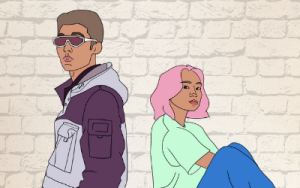
The “Characters Tab” is where you build your character, selecting from “body types”, “eyes”, “mouth”, “hair”, “shoes” ,“bottoms”, “top” & “ extras” . Clicking on an item adds it onto the body, building your character just as you want it.

chrachter

Once you have your character just the way you want it click “Add to Scene”

You will notice that the character has option selected when you click on it in the “Scene”. The X deletes the character and the “Arrows” allow you to make the character bigger or smaller. Now let’s add a speech bubble.

Clicking on “speech” on the green panel will bring up a list of predefined sentences that can be added to the “Scene”. If you are using the teachers’ mode you will be able to enter your own text here as well. Clicking a speech bubble adds it to the “Scene”.
words
As you can see, the speech bubbles have the same Delete / Resize controls as the character. If you have finished creating your poster you can save it by clicking “submit to gallery”.

savetogallery

Submitting the poster to our Gallery is the only way to save the poster for later retrieval and to enable the share feature of the Poster Creator. Enter your First Name, Surname and a valid email address. *Note that without a valid email address you will not receive a unique web address to recall the poster at a later date.

If your students or school use Twitter.com as many are starting to you can enter your Twitter @ID and we will "Tweet" your poster directly to your account.

Click “submit” once you are ready to save,

saving
Your poster is now being saved. This can take up to 1 minute depending on your internet connection speed and other users creating posters.

galleryshare

Share your Anti-Bullying poster:

Congratulations , you have saved your poster. Now you can choose to either “share” your poster across many different social sites or click “done” to finish and go direct to the gallery where you can see your poster and print it. Don’t worry, you can still “share” from the Gallery if you want to later.

sharewindow

Clicking “share” will bring up the Share panel. From here you can “share” your poster as a widget to a large number of social sites like Facebook or Myspace or a blog like Wordpress. For this example I will show you how to share to “Facebook”.

sharefacebook

Click on the “Facebook” option and you will see a mini popup. Clicking “open” will launch a new window to Facebook.com with a prompt to login.
facebook_login
(If you’re already logged into Facebook you won’t see a login)

Once logged in you will be presented with a “post to profile” box. Enter a comment if you would like to and click “post”

facebookpost

You should now see the following message, ”Congratulations , your poster has been posted to Facebook.” Now visit your profile and you will see the poster widget in your stream.

facebooksuccess

Click on the “play” button and your poster will be displayed. Under each poster are “comment”, “like” & “share” buttons. This makes it easy for friends to share the poster to their friends and so on.

That’s it. Your poster is now socially aware and spreading across the world via your friends and friends of friends. Facebook is one example, other services work in a similar way.

Anti-bullying posters on your Mobile Phone

Each poster created with our Anti-bullying Poster creator is mobile friendly, allowing a young person to download a copy of the poster directly to their mobile phone or access our mobile advice site just by snapping the codes on the printed poster or within the online “widget” QR codes are very popular across the world as a way to access information via mobile phone quickly and easily.

Many large brands now use QR on advertisements and products. Bullying UK is the first charity in the UK to use QR to deliver a practical non commercial service.

On a physical printed Bullying UK poster there are two codes. The first allows access to our mobile advice site designed for small screens. The second code downloads a copy of the poster directly to the phone that can then be shared as a MMS to others.

*NOTE: All mobile operators are different and there will probably be a charge for accessing downloads or information via mobile phones. Please check with the operator before use.

This is what a QR mobile download code looks like. This has been accessed through the Click, Create, Print and Share Gallery and clicking on “Mobile Phone” will reveal the code. Any mobile phone with a built in camera can be used to snap codes and access the content they contain. If your phone doesn’t have a reader built in you can download one from http://reader.kaywa.com and follow the instructions for your handset.


*NOTE: All mobile operators are different and there will probably be a charge for accessing downloads or information via mobile phones. Please check with the operator before use.

Mobile QR Code on your Widget:

In the same way the “Gallery” has a QR option for each poster, each widget shared has a small QR code button. Hovering over this mini code will open up a larger QR code that can be snapped in the same way.

Create your own Anti-bullying Sloags with Schools Mode

A feature we have been asked for many times by teachers is to be able to enter your own anti-bullying messages or to supervise young people creating their own messages.

If you would like to customise the text that appears on your pupils posters make a small donation of £5 per class. After completing your donation you will be sent directly to the Schools version of the Anti-bullying Poster Creator


Please enter your school’s name and click “Submit” .

At this point you will see the familiar screen asking you to choose either the Poster Creator or the Gallery. Go to the Poster Creator. Everything works in the same way as the normal version except when you go to speech bubbles you will now see editable bubbles like this:

Add the text you want and then click the small yellow “add” button underneath the bubble. It will then appear in the scene where you can resize it as normal.

At this point you can save your poster to the Gallery so it can then be shared or you can send the poster directly to your printer.


*Please note you are responsible for the words that appear on the poster. Please supervise your students if you are going to allow them to enter their own text. All posters are public once added to the Gallery and we reserve the right to delete any which are offensive or unsuitable for viewing by young people.

If you need help from Bullying UK email us here


Have you entered any of our Online Raffles yet?

Bullyinguk.raffle.it
Upto 80% of the ticket price supports our work.


Follow Us